Recognize the Google Play Listing
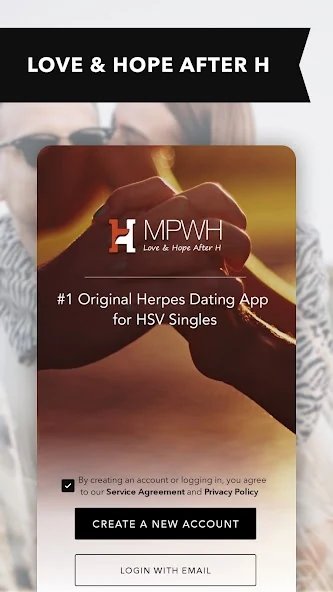
The listing checked for this guide is “Herpes Positive Singles Dating,” published under MPWH.com, with package ID com.successfulmatch.mpwh. The title differs from the iPhone listing, so the package and publisher help identify the Android product. The public description presents it as a herpes-focused dating and support app.
Google Play may show different compatibility or availability information depending on the device and region. Read the listing that opens on your phone rather than assuming that another person's screenshot establishes what your device supports. The product artwork here is a reference to the public Android presentation, not a working sign-in screen.
For a broader view of the mobile options, use the MPWH app overview. If your next device is an iPhone, the separate iOS guide covers the Apple route. Keeping the platform information distinct makes it easier to avoid following the wrong purchase or permissions instructions.
Start Discovery With a Manageable Area
Location is useful when it reflects where you could actually meet someone. Begin with a practical area and read complete profiles before changing every preference. A person slightly farther away might be realistic for you, while a geographically close person with a completely different schedule might not be.
Think about an ordinary week. When could you meet? How would you travel? Would you enjoy making that journey regularly if the connection developed? These questions give distance a real meaning instead of treating it as a number to maximize.
The how-it-works guide explores discovery and search choices in more detail. On a phone, it can be especially easy to move quickly from photo to photo; slow down enough to notice the words and relationship intentions that help distinguish one person from another.
Build a Profile That Reads Well on a Small Screen
A short introduction can still contain substance. Use a few clear sentences about your interests, your typical pace of life and what you would like to share with a partner. Separate ideas rather than putting everything into one crowded paragraph.
For photographs, favor clarity over quantity. A recent, well-lit image tells someone more than several distant or heavily edited shots. Add another photograph only when it contributes a different view of your life. Check that backgrounds do not expose details you would prefer to keep private at the introduction stage.
Before publishing, read the profile as if you were deciding what to say to this person. Is there one obvious, friendly topic? If not, add a concrete detail: a favorite kind of music, an activity you regularly enjoy or a small ambition you would like to share. Those details help someone begin with more than a generic greeting.
Keep Messages Connected to What You Read
When a profile catches your interest, choose one detail and respond to it. A message about a person's stated hobby or travel preference is easier to answer than a broad request to describe their entire life. It also shows that you paid attention before contacting them.
After a reply, let the topic breathe. Share an answer of your own, ask a follow-up if it feels natural and notice whether interest moves in both directions. You do not need to keep a conversation alive through a constant stream of questions if the other person contributes very little.
Your account's membership level affects communication access. The membership guide explains why starting a conversation and replying can involve different rules. Understanding that boundary prevents a missing action from being mistaken for a phone problem and helps you decide whether paid access fits your plans.
Review Permissions Without Turning Setup Into a Chore
Android permission screens and settings vary between versions and manufacturers. Focus on the reason for each request rather than memorizing a menu path that may not match your phone. Photo access can support uploading a profile image; microphone access may relate to an available calling function. Read the explanation shown at the time.
- Confirm the app identity before installing.
- Review a permission when a relevant feature asks for it.
- Choose which images you want to upload before browsing your gallery.
- Check what notifications reveal on the lock screen.
- Keep a screen lock and reliable access to your account email.
These choices should make the app fit your life. If you share a device, notification visibility and saved access deserve extra attention. If you are the only user, you may make different choices while still protecting your account. The aim is an informed setup that you can revisit when circumstances change.
Know Which Channel Handles a Purchase
An Android device does not tell you, by itself, who billed a subscription. Check the purchase screen and receipt. If the transaction is managed through Google Play, use the Google account associated with it; if it was purchased directly through the website or another displayed route, follow that route's account controls.
Do not assume that uninstalling the app ends billing. Before stepping away from a recurring plan, verify the renewal status in the correct place and retain the confirmation. A request to delete a profile and a request to stop a subscription may require separate attention.
Compare the total charge, term and renewal amount before making any purchase. A price shown in an iPhone description is not automatically the price you will pay on Android. The useful figure is the current amount and terms offered to your account in the purchase flow.
Make Moving Phones a Deliberate Transition
If you change devices, make sure you can access the email and credentials for your existing account before retiring the old phone. Reinstalling an app and signing in are different from creating a new identity in the community. Use the existing account when that is your intention.
On the new device, review notifications and permissions again instead of assuming every setting transferred exactly as you wanted. Check any subscription separately through its payment provider. Once those practical pieces are in place, return to the conversations you value and give yourself a comfortable rhythm for using the app.
MPWH's Android route can be a convenient part of dating, especially when a short, attentive exchange fits your day. Let the convenience support your choices rather than dictate them. Start with a clear profile, read with curiosity and put your time into conversations where the effort feels mutual.